
Running a Speed Test
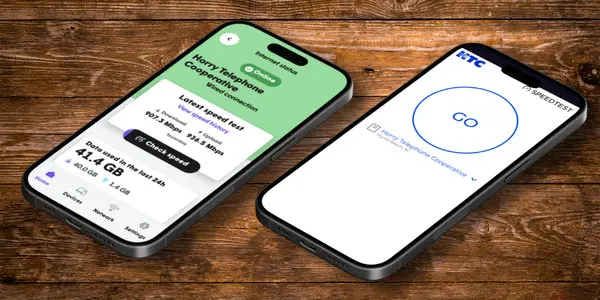
If your home has been upgraded to HTC Smart Wi-Fi, we recommend using the speed test in the Plume HomeTM app for the most accurate results of your internet connection.
To run a speed test on this device, click the button below to get started.

Looking for ways to improve the connection in your home? Review our Pro Tips for a better home Wi-Fi experience.
Q: Why should I run a speed test?
Internet speed tests are a valuable tool for measuring the performance of your internet connection and helping to identify potential issues.
Whether you’re streaming video, working from home, gaming online, or simply browsing the web, understanding your connection’s performance can help ensure you’re getting the best possible online experience.
By understanding how speed tests work and the factors that can influence their results, you’ll be better equipped to evaluate your connection, troubleshoot performance concerns, and determine when additional assistance may be needed.
Please note: Speed tests run on individual devices can be affected by factors such as Wi-Fi signal strength, device capabilities, background applications, and other network activity.
Q: What does a speed test measure?
Download: Measures how fast information from the internet is delivered to your device. Faster download speeds help videos stream smoothly, webpages load quicker, and large files download in less time.
Upload: Measures how fast information is sent from your device to the internet. Faster upload speeds help with activities like video calls, sending emails with attachments, uploading photos or videos, and backing up files to the cloud.
Ping: Measures, in milliseconds (ms), how quickly your device communicates with servers on the internet. Lower ping times help provide a smoother experience for activities like online gaming, video calls, and other real-time applications.
Jitter: Measures the consistency of your connection by tracking how much ping times vary over time. Lower jitter helps provide a more stable and smooth experience, especially during streaming, online gaming, and voice or video calls.
Q: Why is the Plume Home App more accurate?
The Plume Home app measures the speed directly from your HTC Smart Wi-Fi device to the test server. Because the test does not rely on your personal device or its Wi-Fi connection, it helps provide a more accurate view of the speed being delivered to your network.
Q: Does testing on a wireless device affect my speed results?
Yes. Wireless connections provide convenience, but performance can vary. Speeds are affected by factors such as your device’s Wi-Fi capabilities, signal strength, distance from the router, and interference from other devices or networks.
Because of this, speed tests over Wi-Fi may fluctuate and can be lower than results from a wired connection.
Q: Does testing on a wired device provide more accurate results?
Yes. A wired Ethernet connection provides the most accurate and consistent speed test results. Because it is a direct connection, it minimizes interference and allows your device to fully reflect the performance of your internet service, often supporting speeds up to 1 Gbps or higher.
If you have a speed tier above 1 Gbps, make sure your device’s network adapter supports multi-gig speeds. If it does not, your results may be limited by the device’s hardware rather than your internet service.
Q: How can I upgrade my HTC speed tier or get HTC Smart Wi-Fi at my home?
Call our Contact Center at 843.365.2154 or toll free at 800.824.6779
Hours of Operation:
Monday-Friday from 8am – 8pm
Saturday from 8am – 6pm EST.
Ask how HTC Smart Wi-Fi will work in your home.