

Security Components
The following are some of the most common sensors and components used with HTC Security Systems. Depending on the age and configuration of the system, additional or legacy devices may also be present.
When replacing a battery, it is recommended to remove the existing battery and verify its type before purchasing a replacement. Battery requirements can vary by device model, and confirming the battery type in advance helps ensure the correct replacement is obtained and prevents unnecessary return trips or compatibility issues.
Q: How do I configure/manage door and window sensors?
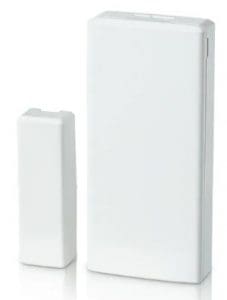
- Ensure the larger sensor and smaller magnet are properly aligned.
- Most sensors have a small notch or marking to indicate correct alignment.
- Both pieces must be parallel. If the door is recessed beyond the frame, proper alignment may not be possible.
- The gap between the sensor and magnet should not be greater than the width of a standard pencil.
- Sensors can be configured as either entry/exit zones or perimeter zones:
- Entry/exit zones are often required to be triggered for some panels to arm in Away
- Perimeter zones do not include an entry delay.
- To open the sensor, locate the designated notch or indentation and use a small screwdriver or coin to gently pry off the cover
- Common batteries: CR2450 3V Lithium Coin
Q: What are the features of the motion detector?
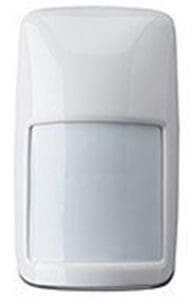
- Only active when system is armed in ‘away’ mode
- Has a pet shield within the sensor to avoid false alarms
- Shield can be removed to increase sensitivity
- Pets over 20lbs or hyper-mobile may still set off the alarm
- Typically installed approx. 6 feet high within a corner of an open space
- The wider part of the sensor is the top.
- To open, press down on the top to release an internal clip and then pull down and away from the mounting bracket.
- Common batteries: CR123A 3V Lithium
Q: What are the features of the glassbreak sensors?

- Typically mounted across from glass/windows
- Detects high frequency sounds
- To open, press the bottom clip inward to release the cover.
- Common batteries: CR123A 3V Lithium
Q: What are the features of the smoke detector?
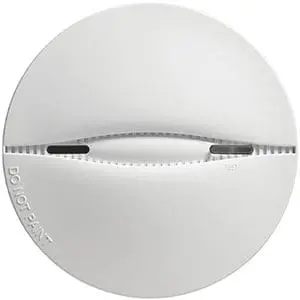
- These sensors remain active regardless of the system’s armed state
- These zones cannot be bypassed
- Troubles (such as low battery) with these sensors will report to the panel.
- If a smoke detector is emitting a chirp but no corresponding trouble condition is indicated on the system, the device is not being monitored by the system
- It has a test button like a normal smoke detector; pressing the “test” button should silence alerts
- Operate wirelessly and are not hardwired into the home’s electrical system
- To remove, twist sensor to release it from its bracket
- Common batteries: CR123A 3V Lithium
- Expires after 7-10 years
Q: What are the features of the carbon monoxide detector?
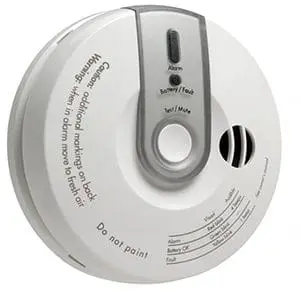
- These sensors remain active regardless of the system’s armed state.
- These zones cannot be bypassed
- Troubles (such as low battery) with these sensors will report to both ADC and the panel.
- If a CO detector is emitting a chirp but no corresponding trouble condition is displayed on the system, the device is likely not monitored through ADC.
- It has a test button like a normal CO2 detector
- Pressing the “test” button should silence alerts
- Operate wirelessly and are not hardwired into the home’s electrical system
- To remove, twist sensor to release it from its bracket
- Common batteries: 9V
- Expires after 7-10 years
Q: What are the features of the keyfobs?
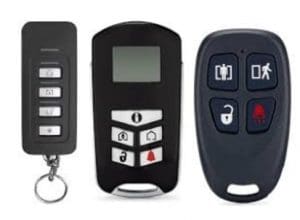
- Older key fobs are programmed as four consecutive zones on the control panel, typically grouped separately from standard zone numbering (e.g., Zones 20–23).
- Newer key fobs are registered as peripheral devices and appear within the peripheral device list in Alarm.com.
- Key fobs typically include functions for disarm, arm stay, arm away, and panic activation.
- Common batteries: CR2032 3V