
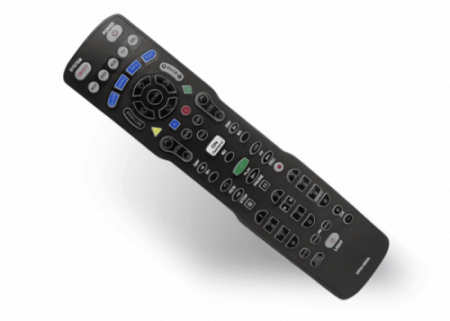
Your PHAZR-5 Remote Control
Learn more about the features and functions of your remote control.
Q: Features Overview
- Universal remote
- Only remote for RF STBS
- Can be exchanged at an office
- Takes two AA batteries
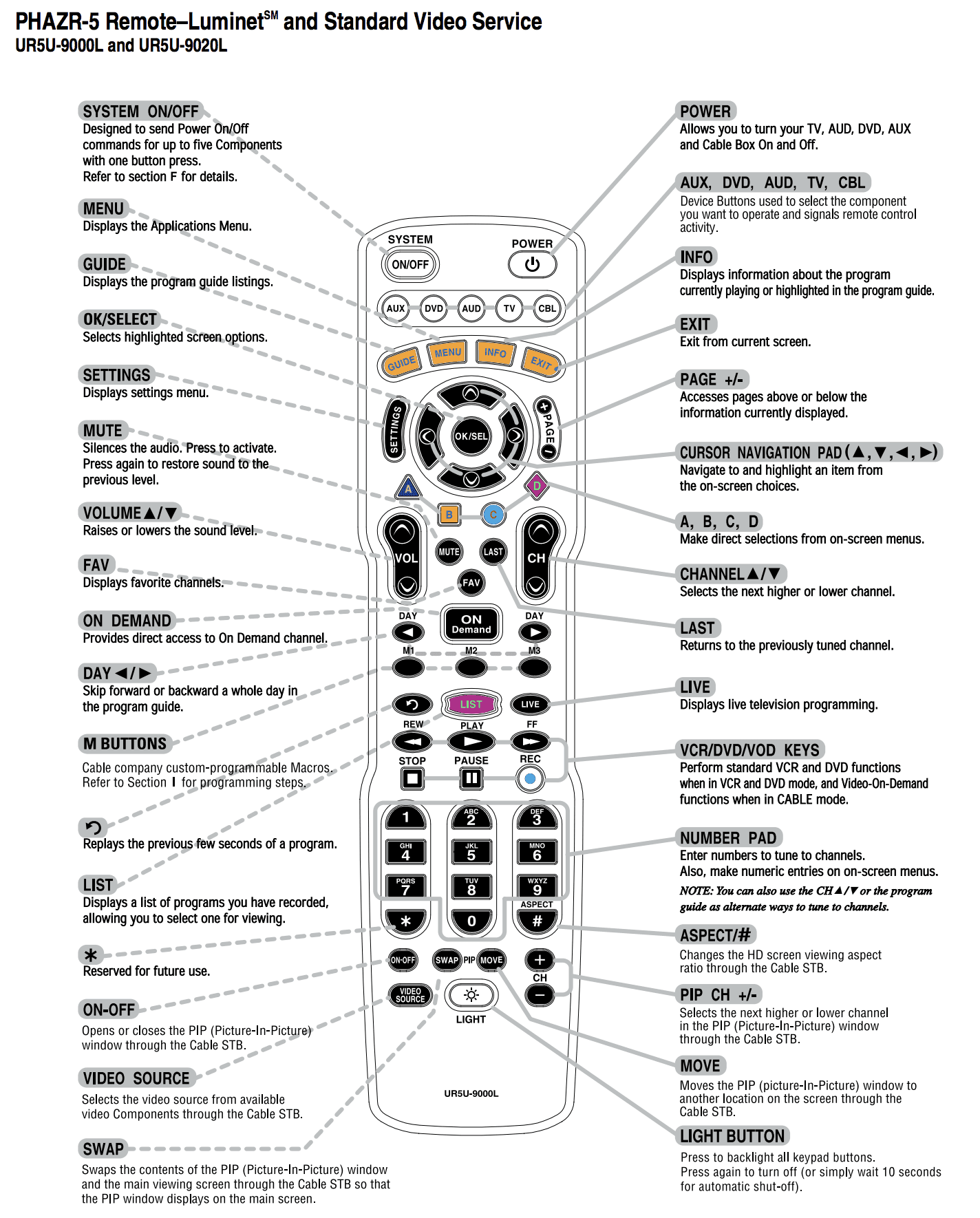
- System On/Off – toggles power to all devices programmed to the remote
- Power – toggles power on selected device
- Video Source button is not guaranteed to work with every TV model
Q: Programming to TV with Codes (for TV volume and power)
- Press the TV and OK button simultaneously for 3 seconds.
- When the TV button lights up, the remote is ready to be programmed
- Enter 3-digit code from TV manufacturer list (below or view guide)
- If it is the correct code, the TV will power off
- If the TV does not power off, proceed to next code
- When the TV powers off, press the TV button again.
- The remote is now programmed.
Common TV Programming Codes for PHAZR-5 UR5U-9020L
| TV Manufacturer | Programming Codes |
|
Samsung |
006, 258, 050, 363, 143, 333, 228, 229, 515, 655 |
|
LG / GoldStar |
113, 116, 102, 363, 106, 112, 127, 143, 569, 248, 648, 741 |
|
Sony |
001 |
|
Vizio |
386, 387, 624, 625, 675 |
|
Toshiba |
258, 333 |
|
Philips |
164 |
|
Sharp |
251, 143 |
|
Panasonic |
250, 148 |
|
Hitachi |
011, 025, 143 |
|
Emerson |
028, 048, 043, 155, 005, 116, 363, 047, 050, 051 |
|
Hisense |
351, 563, 505, 759, 050, 363, 143, 333, 228, 229, 515, 655 |
|
Insignia |
164, 400, 454, 457, 350, 052, 403, 604, 617 |
|
TCL |
387, 081, 251, 705, 749 |
If these codes do not work or the TV brand is not listed in the table above, please use the Auto Code Search Method to pair the remote to the device.
Also, use the Auto Code Search Method to pair the remote with any other device.
Q: Using the Auto Code Search Method to Program TV without Codes
- Press the TV and OK button simultaneously for 3 seconds.
- When the TV button lights up, the remote is ready to be programmed
- Press the CHANNEL UP button repeatedly until the TV powers off
- Press the TV button to save the code.
- The remote is now programmed.
Q: Locking Volume to TV (for TV volume control)
- Press the CABLE and OK button simultaneously for 3 seconds.
- Press the VOLUME UP button once.
- Press the TV button.
- Volume is now locked to the TV.
Q: Locking Channel to the Cable (for STB channel control)
- Press the CABLE and OK button simultaneously for 3 seconds.
- Press the VOLUME DOWN button once.
- Press the CABLE button.
- Channel is now locked to the Set-top box.
Q: Programming System On/Off (to power both the TV and cable box on/off with one button)
- Press the ON/OFF and OK button simultaneously for 3 seconds.
- The CABLE button will light up.
- Press TV
- Press POWER
- Press CABLE
- Press POWER
- CHANNEL UP once.
- Remote is now programmed.
Q: Programming to Cable Box (for cable box channel and menu functionalities)
- Press the CABLE and OK button simultaneously for 3 seconds.
- When the CABLE button lights up, remote is ready to be programmed
Program with codes (preferred):
- Enter 3-digit code
- Code options:
- 002
- 111
- 148
- If the code is correct, the cable box will power off.
- If the cable box does not power off, proceed to the next code.
- When the correct code is entered, the cable box will power off.
- When the cable box powers off, press the CABLE button again.
- Remote is now programmed.
Program using Search Method:
- Press the CHANNEL UP button repeatedly until the cable box powers on/off
- Press the CABLE button to store code.