
A Fresh New Look Is Coming to the Plume Home App
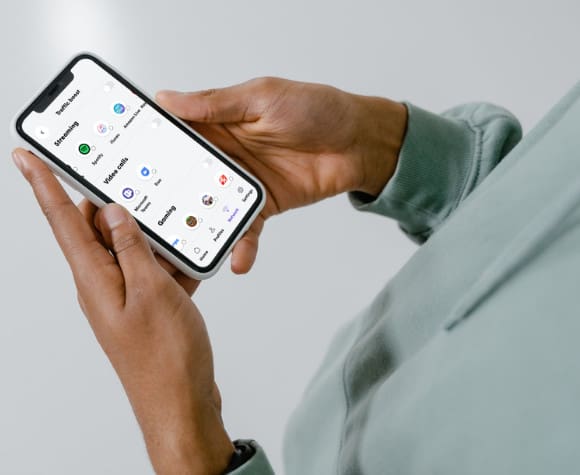 Managing your home Wi-Fi is about to become even easier.
Beginning July 16, the Plume Home app for HTC Smart Wi-Fi will begin rolling out a refreshed design. The update makes it faster and more intuitive to monitor your network, manage connected devices, and access the features you use every day.
The redesign simplifies navigation while keeping the powerful Smart Wi-Fi tools HTC members already rely on. The rollout will happen gradually, so don’t worry if you don’t see the new design immediately. It will appear automatically after your app updates.
What’s Changing?
The new Plume Home app was redesigned using real customer feedback. Instead of learning an entirely new app, you’ll find the same great features in a cleaner, more organized layout.
A Smarter Home Screen
The redesigned Home screen gives you an at-a-glance overview of your network, including:
- Internet connection status
- Smart Wi-Fi equipment health
- Connected devices
- Network activity
- Important alerts
As a result, you’ll spend less time searching through menus and more time finding the information you need.
Easier Device Management
Managing the growing number of connected devices in your home is now even simpler.
The refreshed Devices section makes it easy to:
- View all connected devices
- Identify who or what is using your network
- Access device settings faster
- Pause internet access when needed
Whether you’re checking your kids’ tablets, a smart TV, gaming console, or security camera, everything is easier to find.
Cleaner Navigation
Another major improvement is the app’s navigation. Frequently used tools are easier to access, while related features are grouped together. This creates a smoother experience throughout the app.
Everything You Already Love—Still There
While the app looks different, your HTC Smart Wi-Fi service hasn’t changed.
You’ll continue to enjoy the intelligent features that help keep your home network running at its best, including:
- AI-powered Wi-Fi optimization
- Cybersecurity protection
- Device management
- Guest Wi-Fi
- Parental controls and Focus schedules
- Traffic Boost
- Motion awareness (where available)
In short, the update simply makes these features easier to find and use.
No Action Required
If automatic app updates are enabled on your mobile device, the new version will install automatically when it becomes available.
If automatic updates aren’t enabled, simply visit the Apple App Store or Google Play Store and update the Plume Home app once the new version is available.
Because Plume is releasing the update in phases, some members may receive it before others.
HTC Smart Wi-Fi Continues to Get Better
At HTC, we’re committed to delivering the best possible Wi-Fi experience for our members.
Today, HTC Smart Wi-Fi supports more than 97,000 connected homes, with nearly 160,000 Smart Wi-Fi nodes deployed. The platform also manages more than one million connected devices across our network. As a result, HTC Smart Wi-Fi delivers intelligent, cloud-powered connectivity that automatically adapts to your home’s needs.
This latest Plume Home app refresh is another step toward making it even easier to manage your connected home.
If you have questions about the updated app or need help using any of its features, the HTC Technical Support team is always here to help.