
Calix Gigacenter and Gigapoint
Calix GigaCenter 854G Fiber Router
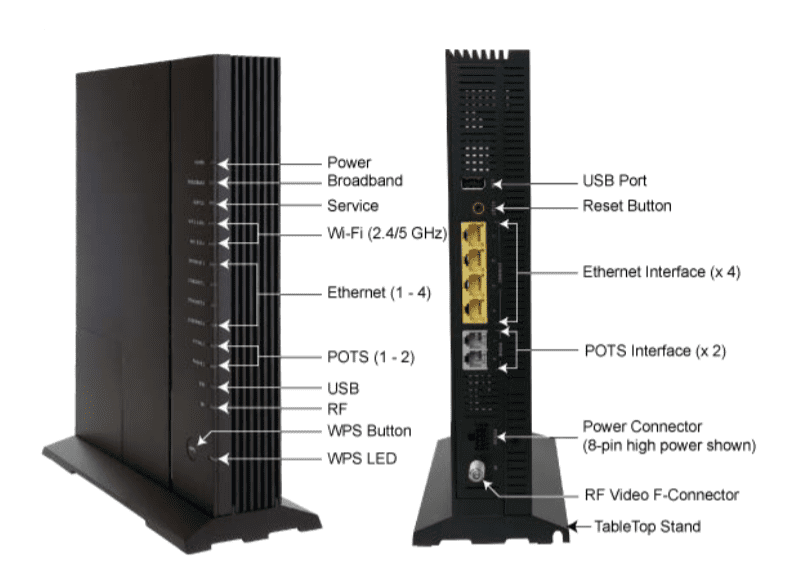
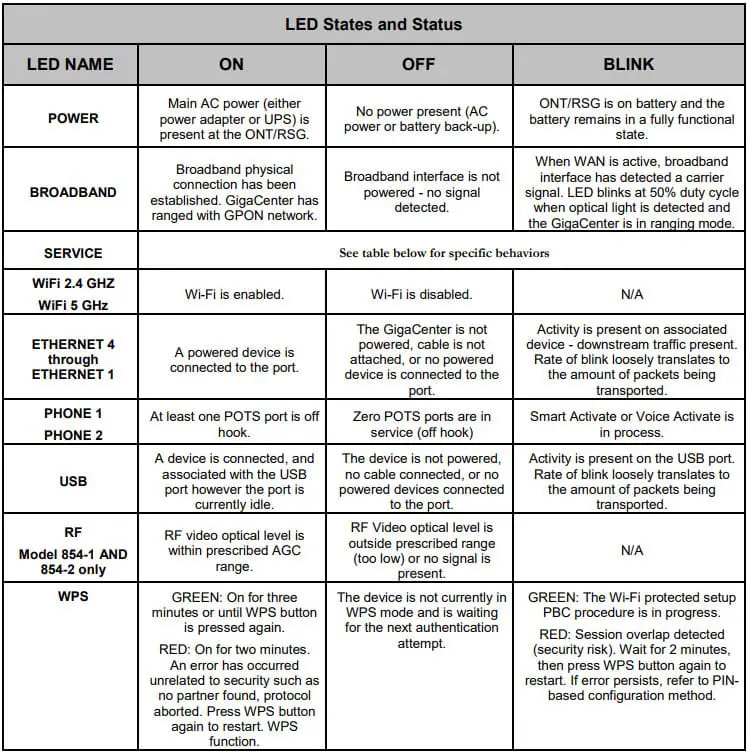
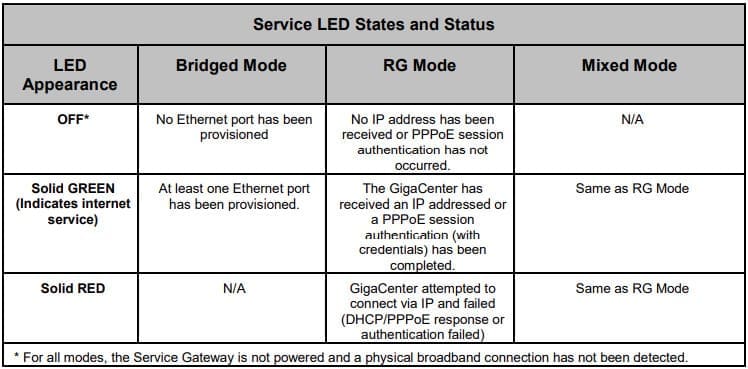
How do I reboot my GigaCenter?
 Do NOT pull on the cord attached to the side of the GigaCenter. That is the fiber cord and will damage the equipment.
- The power cable is an 8-pin connector with a clip that fastens to the back of the GigaCenter. You MUSTpush in on the clip to remove the power cord.
- Leave the cord unplugged for 30 seconds and then plug back in. Internet service is restored once the Service Light stops flashing and remains a solid GREEN.
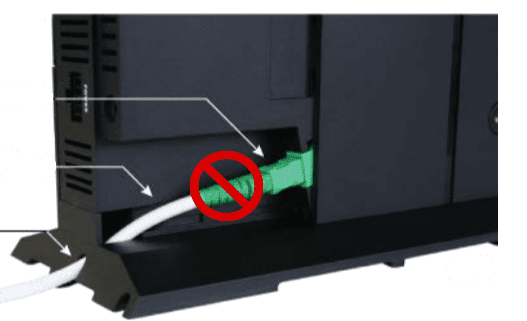 Do NOT pull on the cord attached to the side of the GigaCenter. That is the fiber cord and will damage the equipment.
Calix GigaPoint 803G Fiber Modem
How do I reboot my GigaPoint?
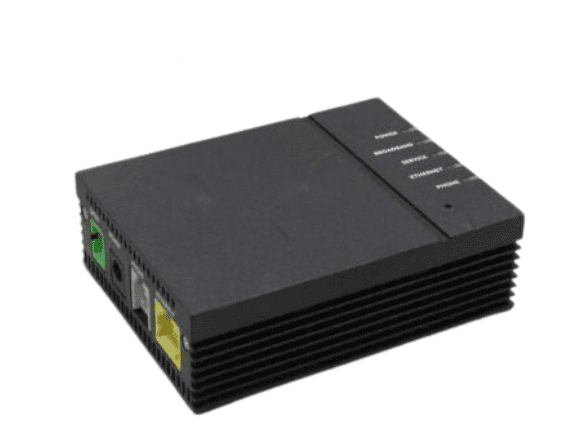
- Do NOT pull on the cord attached to the GREEN port labeled GPON. That is the fiber cord and will damage the equipment.
- To reboot the GigaPoint, remove the cord in the port labeled POWER.
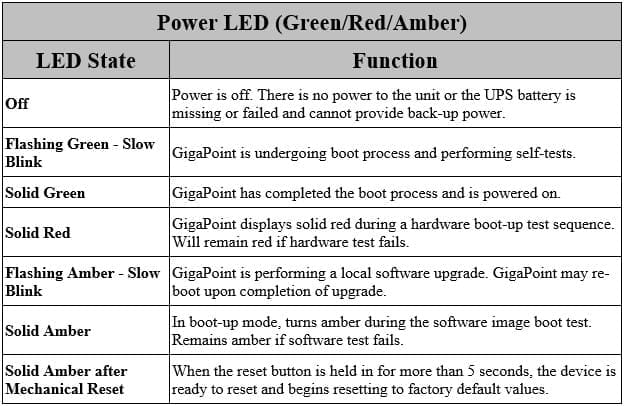
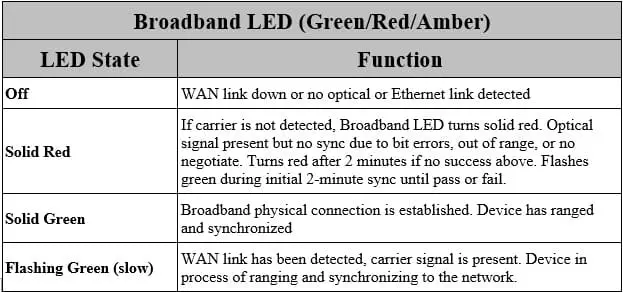
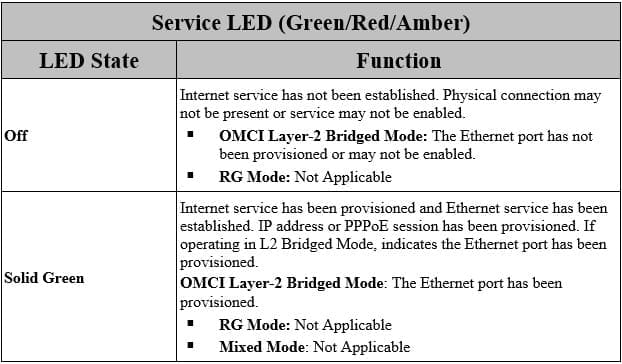
- Leave the cord unplugged for 30 seconds and then plug back in. Internet service is restored once the Service Light stops flashing and remains a solid GREEN.
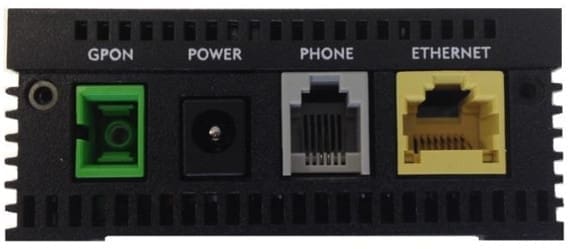 Do NOT pull on the cord attached to the GREEN port labeled GPON. That is the fiber cord and will damage the equipment.
